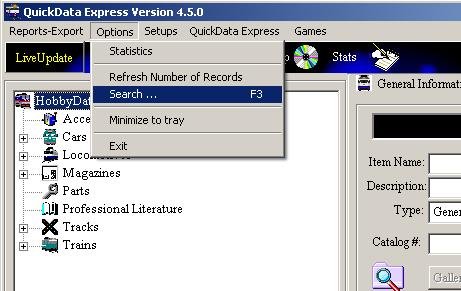
QuickData Express™ provides you with an fast and easy to use
record search engine.
The search is done according
to item Name, Description, Relation, Type or Catalog #.
You may search for a record using one of two methods.
Search for an
Item
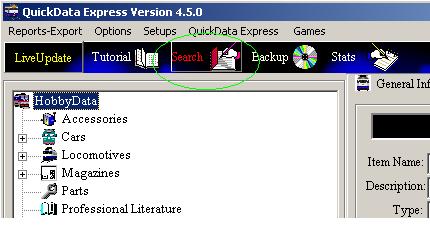
Method 1: Click on the 'Search' button
-
- - Click on the toolbar
'Search' button.
- - On the opened form
select Search category and click on the 'Search' button...
-
-
-
Method 2: Click on the 'Options' pull-down menu
and click on the: 'Search' menu or press F3.
-
-
-
-
-
- On the opened form select Search category and click on the 'Search'
button..
-
-
The next is an image of the Search form. Simply select Search Category (item
Name, Description, Relation, Type or Catalog #)
and click on the 'Search' button.
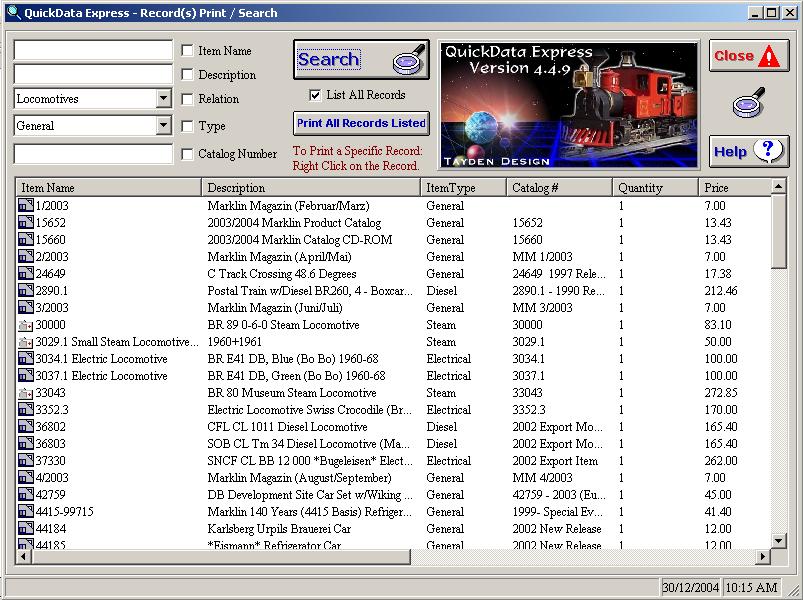
Closing the Search Panel -
Click on the Flashing 'Close' button to close the Search Panel.
For
any questions please email us at: info@tayden.com