| Train Trek Layout Simulation™ - Overview | |
|
|
|
|
|
|
|
Train Trek Layout Simulation™ |
|
|
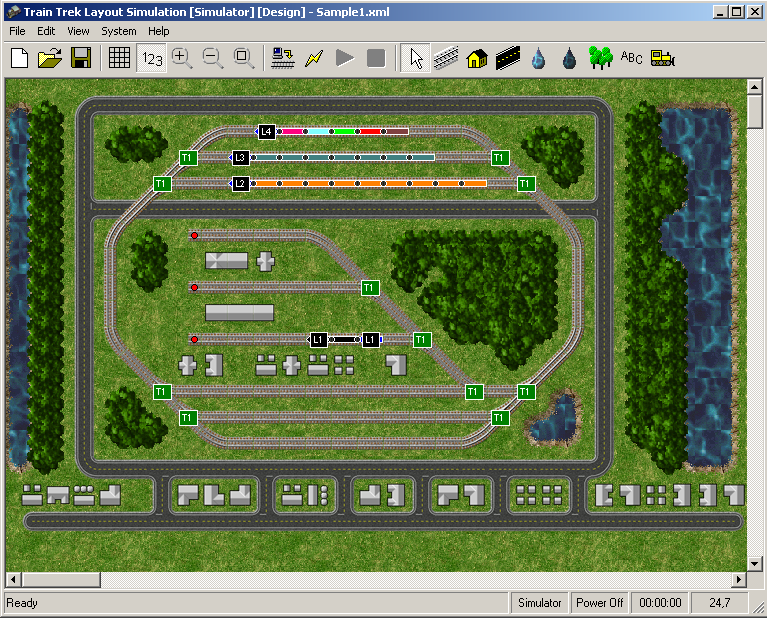
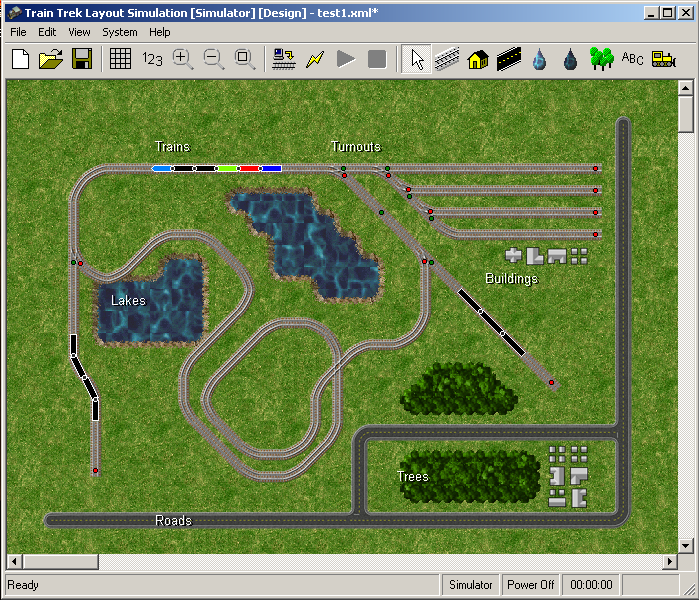
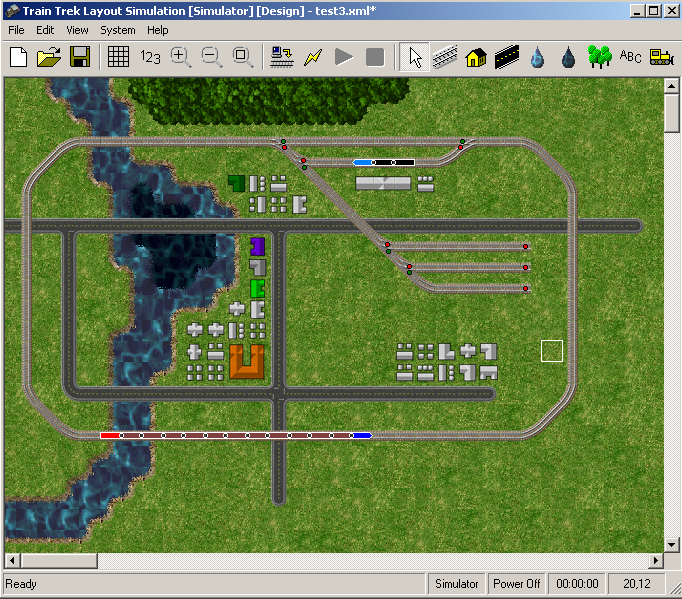
General Train Trek Layout Simulation™ is advanced automation and simulation control software specially designed for Märklin Digital system. The main goal of the software tool is to provide easy layout simulation and automation of a Marklin based digital layout. Train Trek Layout Simulation™ is user friendly, mainly intuitive, yet advanced behind the scene. Overview Train Trek Layout Simulation™ (LS) is the next generation of computer controlled model railroading software. Here, we took further steps and implemented new technologies and concepts. The basic idea is to create an entire computerized environment to simulate and automate Digital Layouts. Users can easily build their layout on-screen and simulate all trains operations before actually running the trains. Any type of automated routes can be visually simulated before actual route execution. User can create an entire layout operation that is included but not limited to hidden yards, passenger and freight routes, daily scheduled operations and more. After planning layout activities, user can simulate it on-screen manually and/or automatically before real execution. This feature enables users to create experimental routes of certain areas. When the desired route is finalized, user may execute it with a click of a button! The program offers user friendly track editor to assemble layouts. Enhancing the system we incorporated a scenery editor to design the layout landscape. This feature enables the user the design the layout landscape, creating roads, trees, lakes and structures. (Buildings, train stations, refineries, residential hoses, etc’) Now a layout looks more realistic, like in real life! We designed the system to be ‘light weight’ and not overload your computer system memory, enabling smooth simulation and flawless automation. The program is for beginners as well as experienced railroaders. Most of all, it is lots of fun! Features Train Trek Layout Simulation™ (LS) provides the next features:
Digital System (DCC) Train Trek Layout Simulation™ (LS) was especially designed for Marklin Digital system and exclusively supports all Marklin Digital system features. It requires a minimum setup of the control unit (6021) and the interface (6050, 6051). Operating Systems (OS) Train Trek Layout Simulation™ (LS) was designed for MS windows 2000 and XP.
|
|
|
Screen Shots |
|
|
Train Trek Layout Simulation™ - Screen Shots
|
|
|
Train Trek Layout Simulation™ provides you with a detailed users' manual and documentations. It also includes a quick manual - 'To Get You Started' in 3 easy steps! In three easy steps you will be running your layout! Train Trek Intelligence Layout Simulation™ is compatible with MS Windows 2000/XP and especially designed for Märklin Digital system.
Tayden Design Technical Publications |
|