 |
All Aboard Data Express
Backup and Restore |
|
|
|
|
|
|
| All
Aboard Data Express™ provides an advanced Backup and Restore
system. Every time you exit the program automatically backup your
database. In addition the system reminds you every 30 days about external
device backup. External device backup means a backup into CD W/R, Floppy,
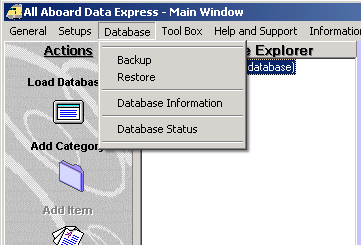
ZIP drive, Backup Hard Drive and similar. You may backup or restore directly from the Action bar or from the Database pull-down menu.
The window provides vital information about your database file like: Name, Size, Version, Description and date.
|
|
|
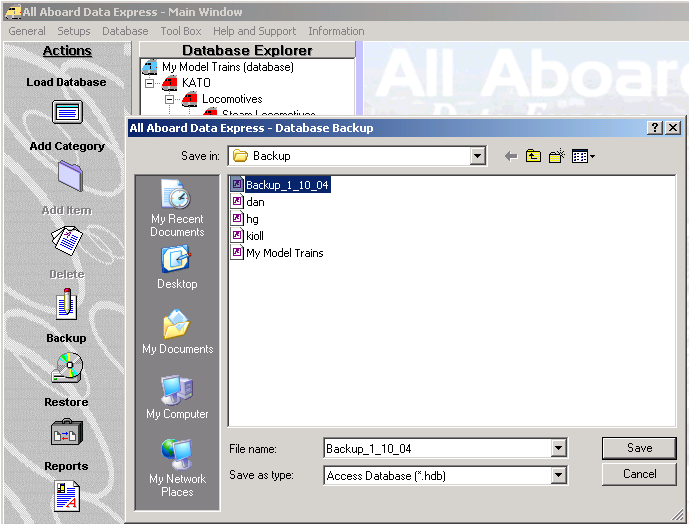
Backup Backup - Click on: 'Backup' menu or on the button on the Action Bar. Click on the: 'Database Status'. Save you backup into the desired folder. It is recommended to mark your backup file with the current date. (For Example: Backup_1_15_04)
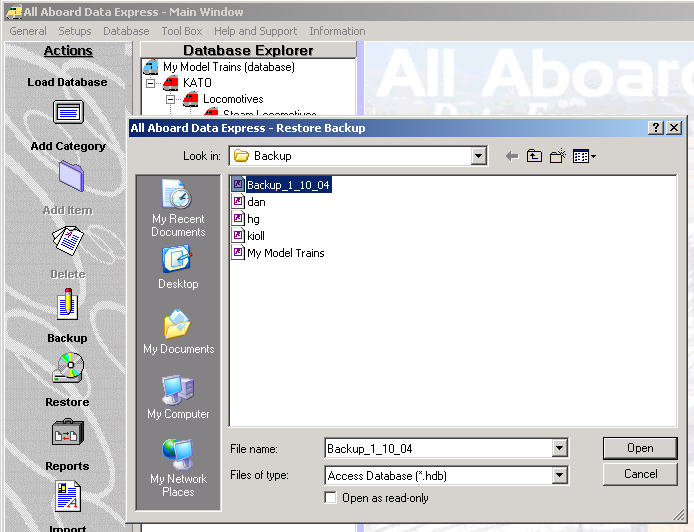
Restore Restore - Click on: 'Restore' menu or on the button on the Action Bar. Navigate to the folder that you want to restore from. Select the database file to restore and click: Open.
Tayden Design Technical Publications |
|