 |
All Aboard Data Express - Categories, Sub-Categories and Items |
|
|
|
|
|
|
| All
Aboard Data Express™ provides an easy for use concept for
creating categories, sub-categories and items.
|
|
|
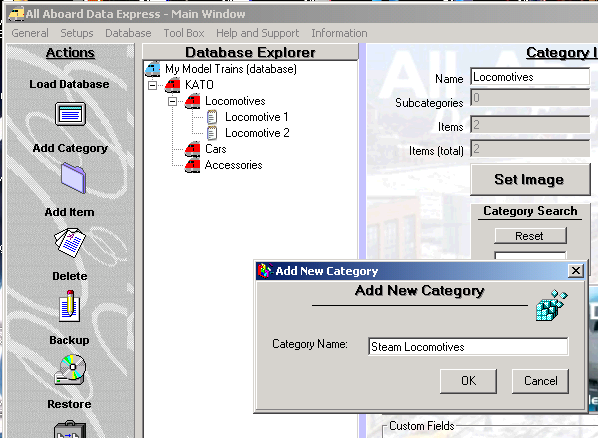
Create/Edit Categories and Sub-Categories Creating Categories and Sub-Categories - Select the category or sub-category that you wish to create category under using Left Click mouse button. Click on the: 'Add Category' button on the Action bar.
Type the name of the Category or Sub-Category at the 'Add New Category' window. Click: Ok Add Sub-Category - Follow the same procedure like in Category Addition.
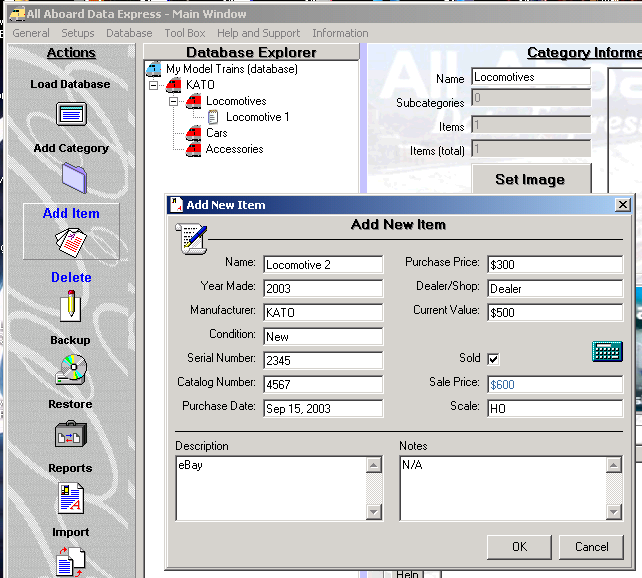
Add Item - Select the Category or Sub-Category that you wish to add Item to using Left Mouse button click. Click on the: 'Add Item' button on the action bar. Fill in the Item's details at the window and click: Ok.
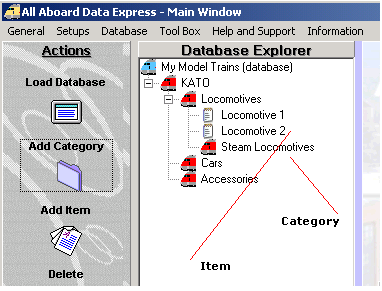
Note: You can create sub-categories and items under a category.
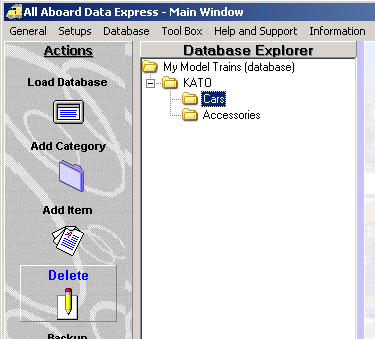
Delete Categories, Sub-Categories and Items Delete Categories, Sub-Categories and Items - Select the category, sub-category or Item that you wish to delete and click on the 'Delete' button on the Action bar.
Tayden Design Technical Publications |
|